Chapters
Powers and roots
A power is a shorthand for multiplying a number by itself many times, and a root is the question that runs it backwards: "what number, multiplied by itself, gives this?" Between them they cover squares, cubes, higher powers, square and cube roots, scientific notation, and the reciprocals you meet in every branch of mathematics. This chapter first builds the idea from plain multiplication, then shows exactly how to enter and evaluate powers and roots on the Castiel calculator.
If powers are new to you, read the first four sections in order. If you already know the theory and only want the keys, jump to Computing powers and roots in Castiel.
What a power is
A power records repeated multiplication. Instead of writing 3 × 3 × 3 × 3, you write 3⁴ and read it "three to the fourth power" or "three to the power four." The number being multiplied is the base (here 3); the small raised number is the exponent (here 4), and it counts how many copies of the base are multiplied together:
3⁴ = 3 × 3 × 3 × 3 = 812¹⁰ = 2 × 2 × ... × 2(ten twos)= 1024
The exponent is not a multiplier - 3⁴ is not 3 × 4 = 12. It is a count of factors. This is why powers grow so fast: each step up in the exponent multiplies the whole result by the base again.
Two powers are common enough to have their own names:
- Squaring is raising to the power
2.5² = 5 × 5 = 25, read "five squared." The name comes from area: a square whose side is5has area5². - Cubing is raising to the power
3.5³ = 5 × 5 × 5 = 125, read "five cubed." The name comes from volume: a cube whose edge is5has volume5³.
Everything above generalises to xⁿ: the base x multiplied by itself n times. That single template handles squares, cubes, and every higher power with one notation.
Roots: powers run backwards
A root undoes a power. If squaring turns 5 into 25, then the square root turns 25 back into 5. Written with the radical sign, √25 = 5, because 5 × 5 = 25. The square root of x is "the number whose square is x."
The same idea gives the other roots:
- The cube root
³√xundoes cubing:³√125 = 5, because5³ = 125. Unlike the square root, a cube root is defined for negative numbers too -³√(-8) = -2, because(-2)³ = -8. - The general nth root
ⁿ√xundoes raising to the powern: the fourth root of81is3, because3⁴ = 81.
Square roots have one wrinkle worth knowing. A negative number has no real square root, because any real number squared is positive or zero - nothing you square gives -4. In ordinary (real) working the calculator reports this as a domain error; only in complex-number working does √(-4) return a value. The even roots (√, fourth root, and so on) behave the same way for negative inputs; the odd roots (cube root, fifth root) accept negatives cleanly.
Not every root is a whole number. √25 is exactly 5, but √2 is 1.41421356..., a decimal that never ends and never repeats. A root like √2 that has no exact decimal is called a surd, and Castiel can keep it in exact √2 form rather than rounding it - see exact versus decimal below.
Fractional and negative exponents
Exponents are not limited to counting numbers. Two extensions make the whole system fit together, and both have plain-language meanings.
A fractional exponent is a root. Raising to the power 1/2 is exactly the same as taking the square root:
x^(1/2) = √x
This is not a coincidence or a convention chosen for neatness - it is forced by how powers combine. Since x^(1/2) × x^(1/2) = x^(1/2 + 1/2) = x¹ = x, the quantity x^(1/2) is a number that gives x when multiplied by itself, which is precisely the square root. In the same way x^(1/3) = ³√x (the cube root), and x^(1/n) is the nth root. A fraction on top and bottom combines the two: x^(2/3) means "cube-root it, then square the result" (or square first, then cube-root - the order does not matter).
A negative exponent is a reciprocal. A minus sign in the exponent flips the number over - it takes the reciprocal, which is 1 divided by the number:
x⁻¹ = 1/x, and more generally x⁻ⁿ = 1 / xⁿ
So 2⁻¹ = 1/2 = 0.5, and 2⁻³ = 1/2³ = 1/8 = 0.125. The reciprocal of a reciprocal returns the original number, and any non-zero number to the power 0 is 1. The one forbidden case is the reciprocal of zero: 1/0 has no value, and the calculator reports a divide-by-zero error.
Put together, these rules mean a single idea - the exponent - covers repeated multiplication, roots, and reciprocals at once. x² is a square, x^(1/2) is a square root, and x⁻¹ is a reciprocal, all the same operation with different exponents.
Scientific notation: powers of ten
Powers of ten are how the calculator writes very large and very small numbers compactly. Because our number system is base ten, multiplying by 10ⁿ just shifts the decimal point n places:
10³ = 1000, so6.02 × 10³ = 6020.10⁻³ = 1/1000 = 0.001, so4.5 × 10⁻³ = 0.0045.
Writing a number as a value between 1 and 10, times a power of ten is called scientific notation. It keeps the significant digits in front and pushes the magnitude into the exponent, so 299 792 458 becomes 2.99792458 × 10⁸ and a tiny 0.0000012 becomes 1.2 × 10⁻⁶. Castiel has a dedicated key for entering the × 10 part directly, described below.
Computing powers and roots in Castiel
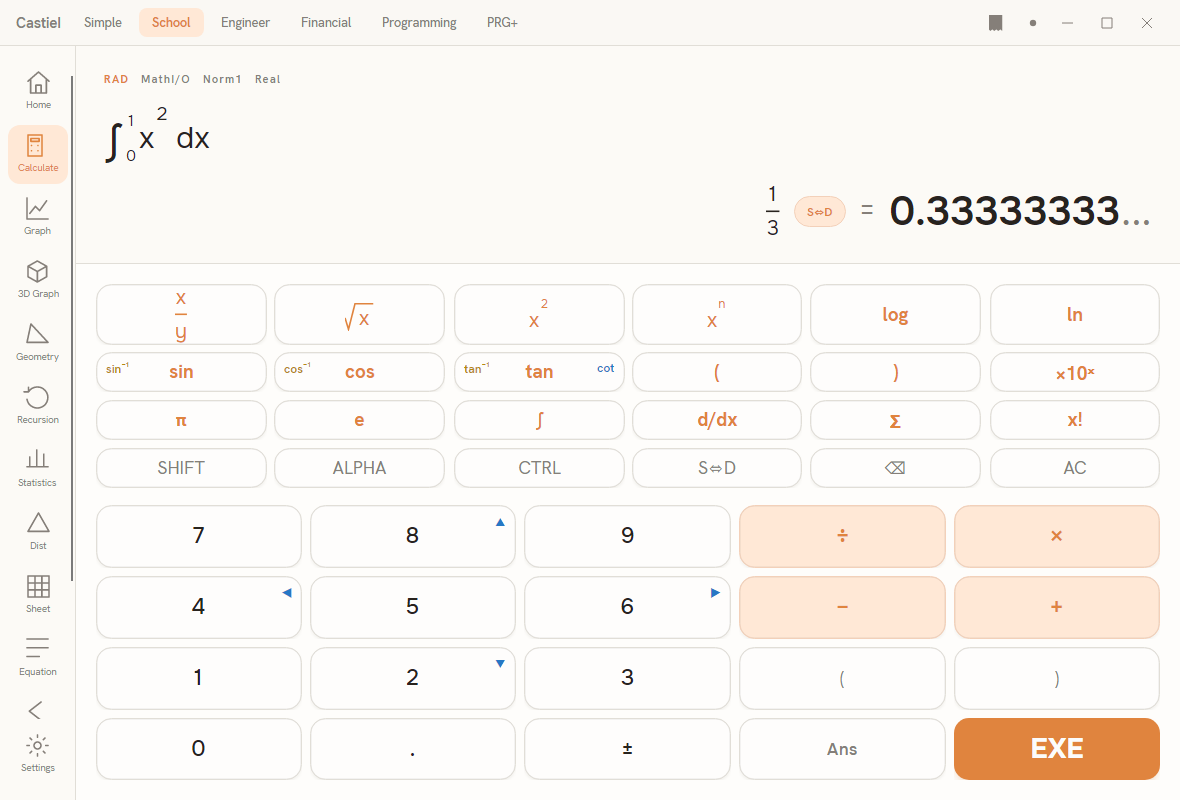
Every example below uses the School calculator, but the power and root keys behave the same in every mode that shows them.
The keys. The top row of the scientific block holds the power and root templates:
x²squares whatever precedes it. Type a number, pressx², and it gains a small raised2.xⁿinserts a general power template: the base you have typed is wrapped and the caret rises into an exponent slot, where you type any exponent you like - including a fraction (for a root) or a negative number (for a reciprocal).√xinserts a root template under the radical sign. Type the number to go inside, and the caret sits under the sign so the value is drawn where it belongs.×10ˣenters a power of ten for scientific-notation input. Type the significant digits, press×10ˣ, then type the exponent - this is the clean way to enter6.02 × 10²³without writing out the zeros.
Because entry is Natural Textbook, the exponent rides as a true superscript and the root sits under its radical, exactly as you would write them by hand. To leave an exponent or root slot and carry on with the rest of the expression, press the right arrow.
Typed forms. Every function also has a name you can type into the entry line, which is useful for the roots and reciprocals that do not have a dedicated key. Type cbrt(27) for a cube root, nthroot(81, 4) for a fourth root, or reciprocal(4) (equivalently the fraction 1/4) for a reciprocal. The typed and keypad forms produce the same result.
Exact versus decimal. A power or root that lands on a whole number or a simple fraction is shown in exact form: √9 shows as 3, and 2⁻³ shows as 1/8. A root with no exact value, such as √2, is kept as a surd - the exact √2 - rather than being rounded away. The S<->D key flips the displayed result between the exact form and its decimal approximation without changing the calculation; press it to turn √2 into 1.41421356... and press it again to return to √2.
Reference: the power and root functions
| Function | What it is | Keypad / typed form | Arguments |
|---|---|---|---|
| Square | x², the number times itself |
x² key, or type square(...) |
1 |
| Cube | x³, the number times itself twice more |
type cube(...) |
1 |
| General power | xⁿ, base raised to any exponent |
xⁿ key, or type pow(x, n) (or use the ^ operator) |
2 |
| Square root | √x, undoes squaring |
√x key, or type sqrt(...) |
1 |
| Cube root | ³√x, undoes cubing; accepts negatives |
type cbrt(...) |
1 |
| Nth root | ⁿ√x, undoes the nth power |
type nthroot(x, n) |
2 |
| Reciprocal | 1/x, i.e. x⁻¹ |
type reciprocal(...), or enter the fraction 1/x |
1 |
| Power of ten | × 10ⁿ, for scientific notation |
×10ˣ key |
(entry key) |
A few behaviours are worth remembering:
√xand the even roots reject negative inputs in real working (a domain error), because no real number squared is negative; the cube root and other odd roots accept negatives.reciprocal(0)and the fraction1/0are divide-by-zero errors - zero has no reciprocal.- The general power
xⁿaccepts fractional exponents (which give roots) and negative exponents (which give reciprocals), so one template covers all three ideas.
Worked examples in Castiel
Example 1 - a power via the xⁿ template. Compound growth: a 1200-unit amount grows by 5% a year for 3 years, multiplying by 1.05 each year - that is 1200 × 1.05³. Compute the power 1.05³.
- Press
1,.,0,5to enter the base1.05. - Press
xⁿ. The1.05is wrapped as the base and the caret rises into the exponent slot. - Type
3, then press the right arrow to step out of the exponent. - Press
EXE. The result is1.157625.
Multiplying the starting 1200 by this gives about 1389.15. Note that 1.05³ means 1.05 × 1.05 × 1.05, not 1.05 × 3 - the exponent counts the factors.
Example 2 - a root left exact, then toggled to decimal. Find √2, the length of the diagonal of a unit square.
- Press
√xto drop a root template into the entry line. - Type
2so it sits under the radical sign. - Press
EXE.
Because 2 is not a perfect square, the headline stays in exact surd form: √2. This is the precise value, carried without rounding. Now press S<->D: the display switches to the decimal approximation 1.41421356..., trailing off to show the digits continue forever. Press S<->D again to return to the exact √2. Nothing about the value changed - only how it is written. Keeping the surd form is what lets a later calculation stay exact: √2 × √2 returns exactly 2, whereas multiplying the rounded decimal by itself would drift slightly off.
The lesson from both examples: the exponent is a count of factors, not a multiplier, and a root with no whole-number value is best kept as a surd until you actually need the decimal.
See also
- The School calculator - the surface used in the examples above, and the full keypad reference.
- Arithmetic and order - how powers and roots fit into the order of operations.
- Logarithms and exponentials - the functions that answer "what exponent gives this number?"