Chapters
Trigonometry
Trigonometry is the mathematics of angles and the ratios that connect them to lengths. It answers questions like "how tall is that ramp?" and "what angle does this roof make?" without you ever climbing up to measure. This chapter first builds the idea from a right triangle and the unit circle, then shows exactly how to compute every trigonometric value on the Castiel calculator.
If you have never met sine and cosine before, read the first three sections in order. If you already know the theory and just want the keys, jump to Computing trigonometry in Castiel.
What trigonometry is
Start with a right triangle. A right triangle has one 90-degree corner (the little square). Pick one of the other two corners and call its angle θ (the Greek letter theta). Now the three sides get names relative to that angle:
- the hypotenuse is the longest side, always opposite the right angle;
- the opposite side is the one directly across from
θ; - the adjacent side is the one that touches
θ(and is not the hypotenuse).
The three core trigonometric functions are just ratios of these sides. The classic memory aid is SOH-CAH-TOA:
- Sine: Opposite over Hypotenuse -
sin(θ) = opposite / hypotenuse - Cosine: Adjacent over Hypotenuse -
cos(θ) = adjacent / hypotenuse - Tangent: Opposite over Adjacent -
tan(θ) = opposite / adjacent
Because each is one length divided by another, the units cancel: a sine is a plain number, never "5 cm." Trigonometric values are dimensionless ratios. For any angle, sin and cos always land between -1 and 1; tan can be any value at all.
Then grow it into the unit circle. The triangle picture only covers angles from 0 to 90 degrees. To handle any angle - 120 degrees, 270 degrees, a full turn and beyond - mathematicians use the unit circle: a circle of radius 1 centred on the origin. Draw a line from the centre at angle θ, measured anticlockwise from the positive x-axis. Wherever that line meets the circle, the point's coordinates are exactly (cos θ, sin θ). Sine is the height, cosine is the sideways distance, and tangent is their ratio sin θ / cos θ. This is why the values repeat every full turn and why sine and cosine ripple smoothly between -1 and 1 - they are tracing a point going round and round.
Angles: degrees, radians, and gradians
An angle can be measured in more than one unit, and the calculator must know which one you mean before it can give a number. This is the single most common source of "wrong" trigonometry answers, so it is worth understanding.
- Degrees (
DEG) split a full turn into 360 equal parts. A right angle is 90 degrees. This is the everyday unit you learned in school. - Radians (
RAD) measure an angle by the arc length it cuts on a unit circle. A full turn is2πradians (about 6.283), a right angle isπ/2(about 1.571). Radians are the natural unit for higher mathematics and calculus. - Gradians (
GRA) split a full turn into 400 parts, so a right angle is 100 gradians. They appear in some surveying and engineering work.
Why the mode matters. The number you type is interpreted according to the active angle mode. The plain value 30 means 30 degrees in DEG mode but 30 radians in RAD mode - and 30 radians is nearly five full turns. So:
sin(30)inDEGmode is exactly0.5.sin(30)inRADmode is about-0.988, a completely different answer.
Neither is a bug. The calculator did precisely what the mode told it to. Always check the mode before trusting a trigonometric result.
Reading and switching the mode in Castiel. The active unit is shown as a small annunciator near the display: RAD, DEG, or GRA. In the screenshot below it reads RAD. This annunciator is a read-only indicator, not a button. To change the unit, open Settings and set the angle mode (degrees, radians, or grads); the annunciator updates to match and the new unit applies to every calculation that follows. Make this your habit: glance at the annunciator, confirm it matches the unit of your angle, then compute.
For converting an angle from one unit to another as a value (rather than switching the whole calculator), see Angles and coordinates.
Computing trigonometry in Castiel
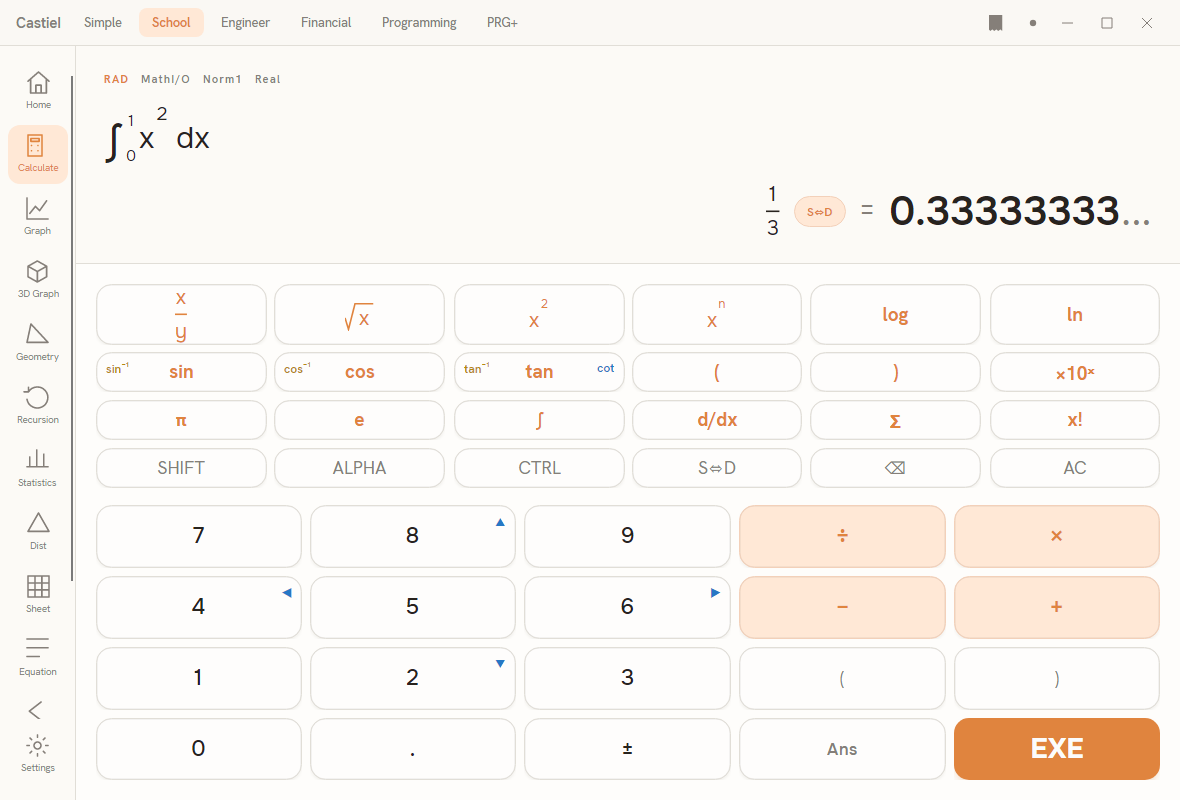
Every example below uses the School calculator, but the trigonometric keys behave the same in every mode that shows them.
The keys. The keypad has three dedicated trigonometry keys: sin, cos, and tan. Press one, type the angle, close the bracket, and press =. The inverse functions share those same keys: press SHIFT first and the key acts as sin⁻¹, cos⁻¹, or tan⁻¹. The reciprocal and hyperbolic functions do not have their own keys - type their names (shown in the tables below) directly into the entry line, which the calculator accepts as typed text.
Exact versus decimal. Some results are "nice" numbers. Castiel can show a result in an exact form (a fraction, a root, or a multiple of π) or as a plain decimal. Press the S<->D key to toggle between the two. For example, an answer that is exactly one-half can show as 1/2 or as 0.5; toggle to whichever you need.
The six ratios
sin, cos, and tan are the three you will use most. Each also has a reciprocal - a "flip" - used less often but available. All six read the active angle mode.
| Function | What it is | Keypad / typed form |
|---|---|---|
| Sine | opposite / hypotenuse | sin key, or type sin(...) |
| Cosine | adjacent / hypotenuse | cos key, or type cos(...) |
| Tangent | opposite / adjacent, i.e. sin/cos |
tan key, or type tan(...) |
| Cosecant | reciprocal of sine, 1/sin |
type csc(...) (also accepts cosec(...)) |
| Secant | reciprocal of cosine, 1/cos |
type sec(...) |
| Cotangent | reciprocal of tangent, cos/sin |
type cot(...) |
Each of these takes exactly one angle. tan, sec, csc, and cot have angles where they are undefined (where you would divide by zero - for instance tan(90) in DEG); the calculator reports a domain error there rather than a meaningless huge number.
Inverse trigonometry
An inverse function runs the ratio backwards: you give it a ratio and it returns the angle that produces it. If sin(30°) = 0.5, then sin⁻¹(0.5) = 30°. Reach these with SHIFT then sin / cos / tan, or type their names.
Because many different angles can share the same sine (the unit-circle point comes round again and again), each inverse returns just one agreed answer, called the principal value:
| Function | Input | Principal value it returns | Typed form |
|---|---|---|---|
| Arcsine | a ratio from -1 to 1 | an angle from -90 to 90 degrees (-π/2 to π/2) |
asin(...) |
| Arccosine | a ratio from -1 to 1 | an angle from 0 to 180 degrees (0 to π) |
acos(...) |
| Arctangent | any value | an angle from -90 to 90 degrees (-π/2 to π/2) |
atan(...) |
| Two-argument arctangent | a y and an x value |
the full angle of the point (x, y), from -180 to 180 degrees |
atan2(y, x) |
The result is expressed in the active angle mode: asin(0.5) gives 30 in DEG mode and about 0.524 (which is π/6) in RAD mode. asin and acos only accept ratios between -1 and 1; a value outside that range is a domain error, because no real angle has such a sine or cosine.
atan2(y, x) takes two arguments and is the reliable way to recover the angle of a point or vector, because it uses the signs of both x and y to place the angle in the correct quarter of the circle - something plain atan cannot do.
Hyperbolic functions
The hyperbolic functions sinh, cosh, and tanh (and their inverses asinh, acosh, atanh) share the sine/cosine names but are a separate family. They are not built from angles or the unit circle; they describe the shape of a hanging chain and appear in growth, physics, and engineering problems. The active angle mode does not affect them. They are available by typing their names:
| Function | Typed form | Inverse |
|---|---|---|
| Hyperbolic sine | sinh(...) |
asinh(...) |
| Hyperbolic cosine | cosh(...) |
acosh(...) |
| Hyperbolic tangent | tanh(...) |
atanh(...) |
Each takes one argument. acosh needs an input of at least 1, and atanh needs an input strictly between -1 and 1; outside those ranges the calculator reports a domain error. If you are new to trigonometry you can safely skip this family for now.
Angle conversions and coordinates
Alongside the trigonometric functions, Castiel exposes a set of conversions you type by name. These always perform the named conversion regardless of the active angle mode:
- Between angle units:
deg2rad(...)andrad2deg(...), plus the gradian pairsdeg2gra/gra2degandrad2gra/gra2rad. Each takes one value. - Degrees-minutes-seconds:
dms2deg(d, m, s)turns a sexagesimal angle (degrees, minutes, seconds - three arguments) into decimal degrees;deg2dms(...)does the reverse from a single decimal-degree value. - Polar and rectangular coordinates:
pol(x, y)converts a point from rectangular to polar form (distance and angle);rec(r, θ)converts back. Each takes two arguments.
These are covered fully, with worked examples, in Angles and coordinates.
Worked examples in Castiel
Example 1 - the height of a ramp (forward sin in DEG). A wheelchair ramp is 5 metres long and rises at an angle of 6 degrees. How high is its top end?
The 5-metre ramp is the hypotenuse; the height is the side opposite the angle. From SOH, sin(6°) = height / 5, so height = 5 × sin(6°).
- Check the annunciator reads
DEG. If it showsRADorGRA, switch it toDEGfirst - otherwise the6is read in the wrong unit. - Type
5, press×, press thesinkey, type6, close the bracket, press=. - The result is about
0.5226. The ramp rises roughly 0.52 metres. - Press
S<->Dif you want to move between the decimal0.5226...and any exact form the calculator can show.
Example 2 - an angle from a ratio (inverse asin). A 3-metre plank leans against a wall and its foot is lifted so the top reaches 1.5 metres up. What angle does the plank make with the ground?
The height (1.5, opposite) over the plank length (3, hypotenuse) is a sine: sin(θ) = 1.5 / 3 = 0.5. To get the angle, apply the inverse: θ = sin⁻¹(0.5).
- Confirm the annunciator reads
DEGso the answer comes back in degrees. - Press
SHIFT, then thesinkey (it now acts assin⁻¹), type0.5, close the bracket, press=. You can also type this directly asasin(0.5). - The result is
30. The plank makes a 30-degree angle with the ground. - Switch the annunciator to
RADand repeat: the same calculation now returns about0.524, which isπ/6- the identical angle expressed in radians. PressS<->Dto see it in the exactπform where available.
The lesson from both examples is the same: decide the unit you want, set the annunciator to match, then read the result. Trigonometry on the calculator is only ever as reliable as the angle mode you compute it in.
See also
- The School calculator - the surface used in the examples above.
- Angles and coordinates - unit conversions, degrees-minutes-seconds, and polar/rectangular points.
- Logarithms and exponentials - the other main family of scientific functions.